RTPC
Curve Editor
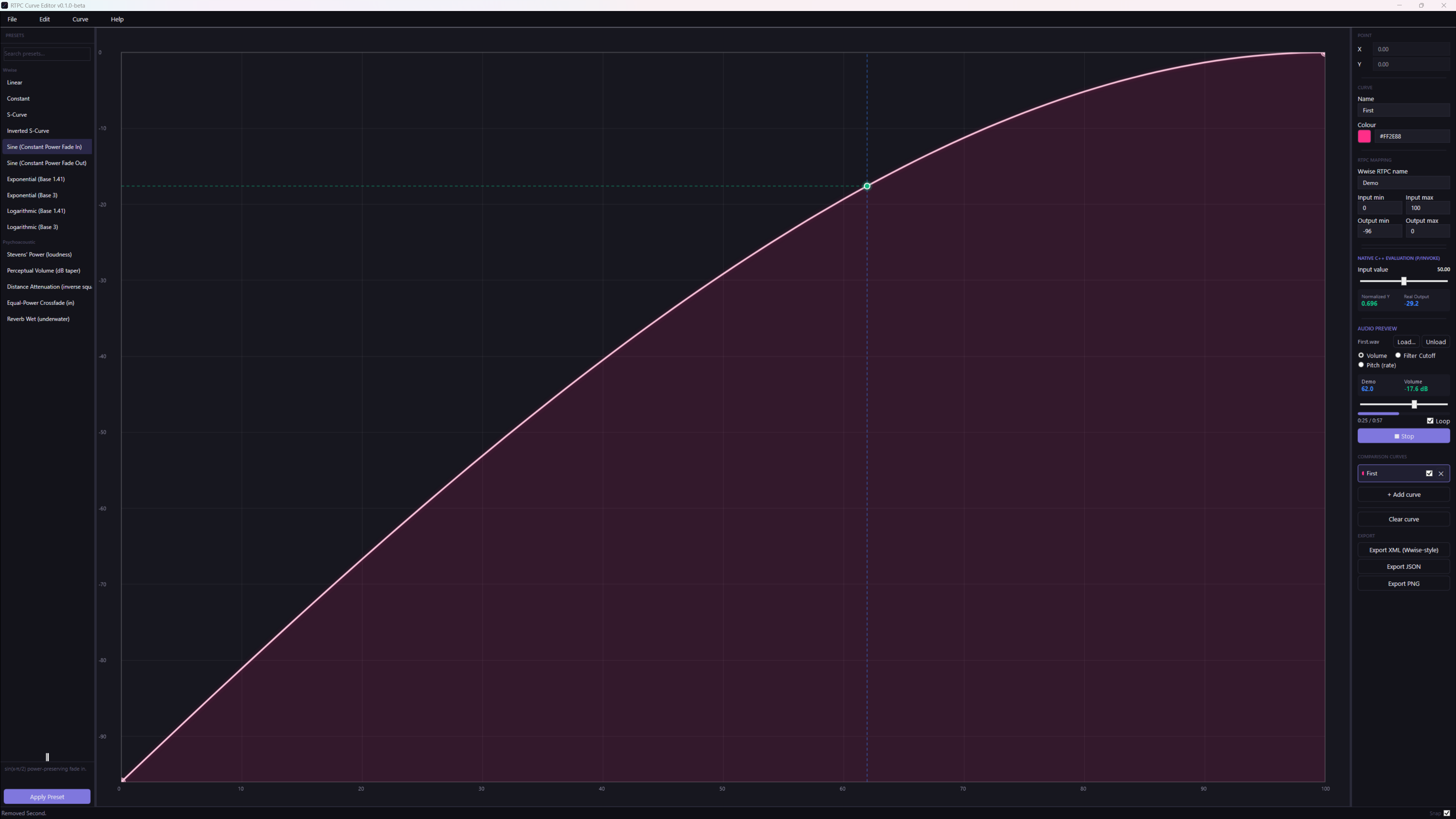
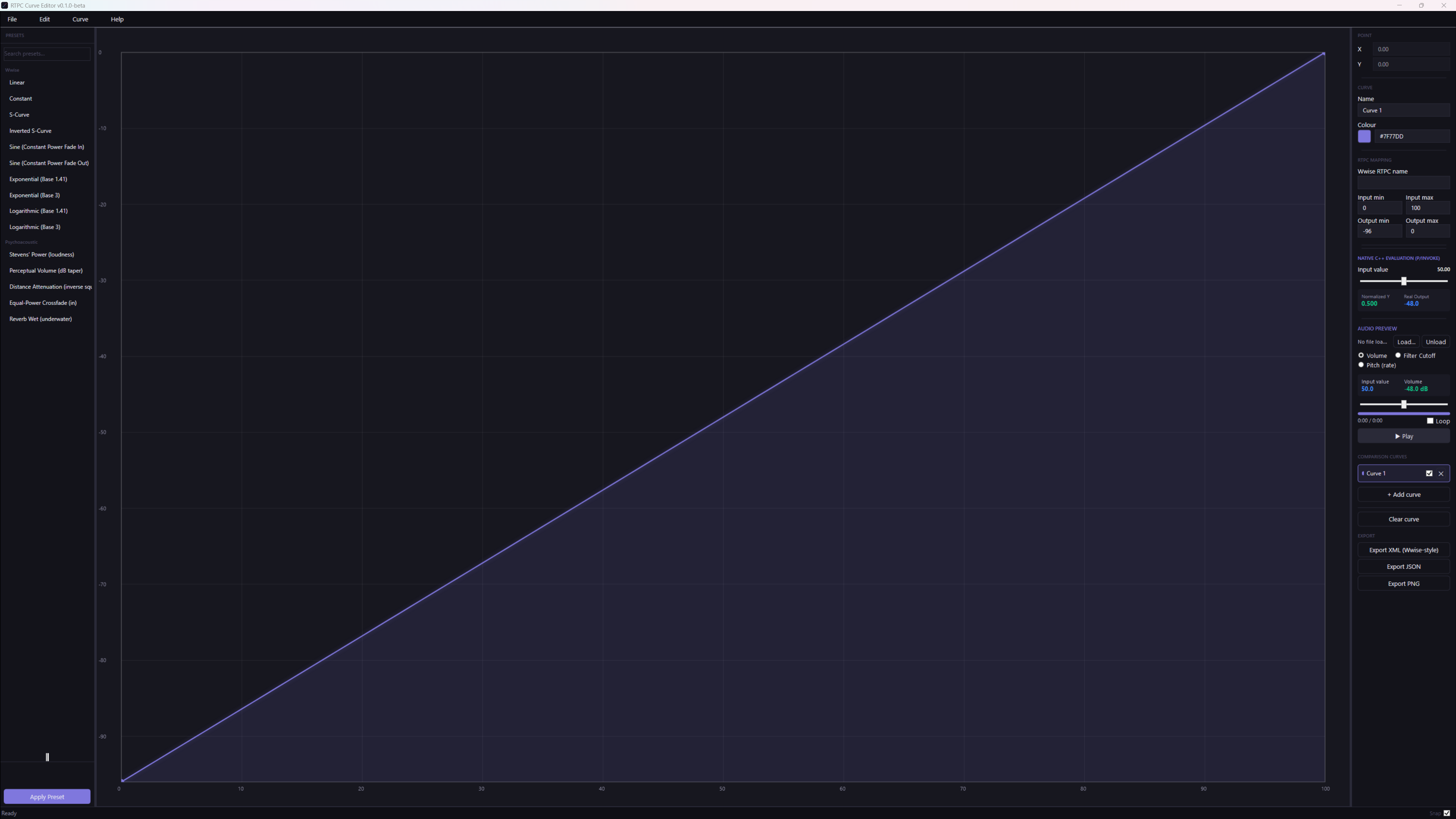
A standalone desktop tool for designing, auditioning and exporting RTPC curves, built outside Wwise so curve design gets a proper UI. Precise control over Bézier handles, Wwise-style and psychoacoustic presets, multi-curve comparison, a live audio preview that lets you hear a curve drive volume, pitch or filter cutoff, and Wwise-style XML export. Built with WPF, SkiaSharp, NAudio and a native C++ evaluator on .NET 10.
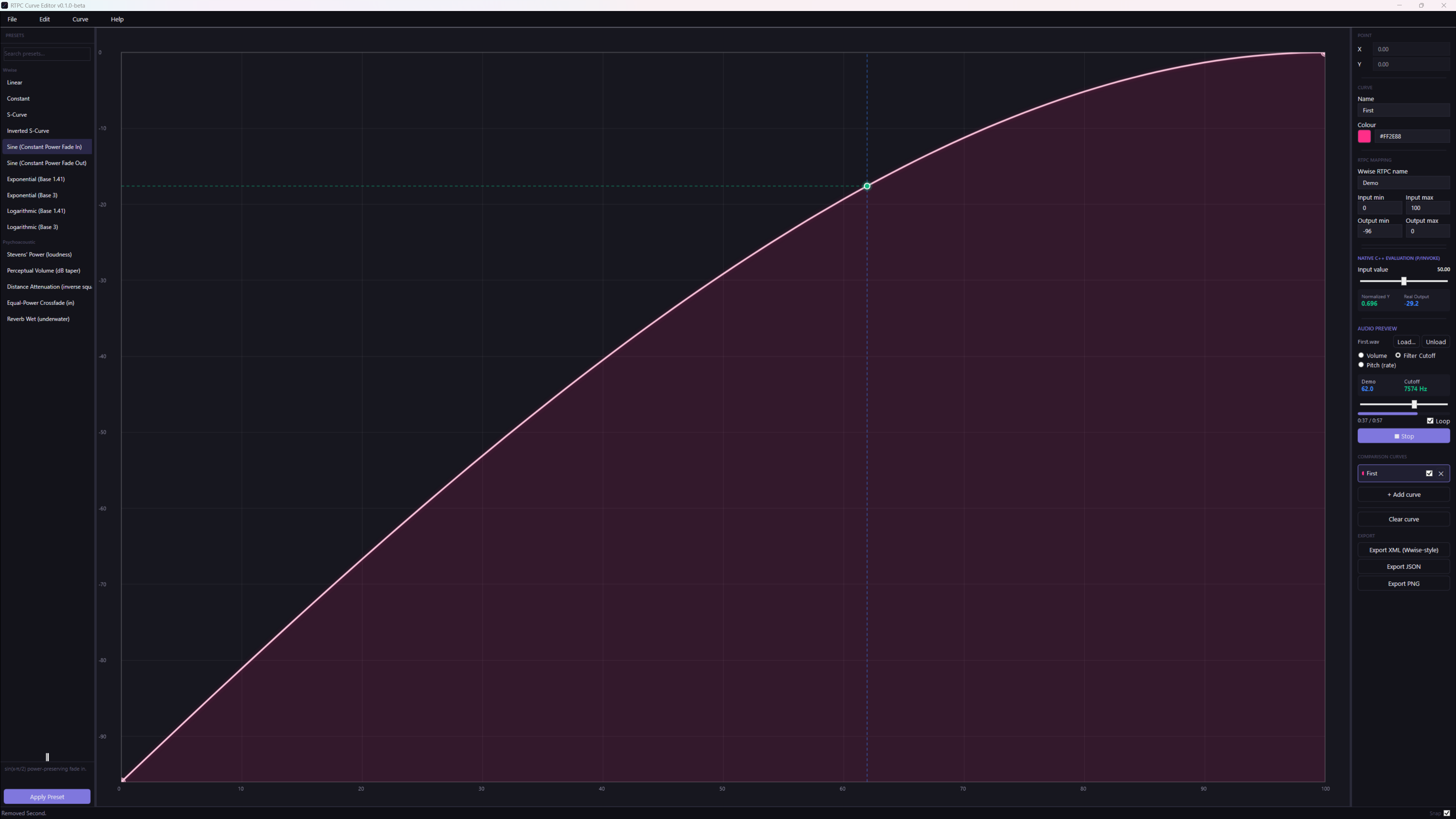
Core Features
- Bézier curve editing: full handle control for each segment, with snapping, custom input and output ranges, and exact X/Y entry for every point
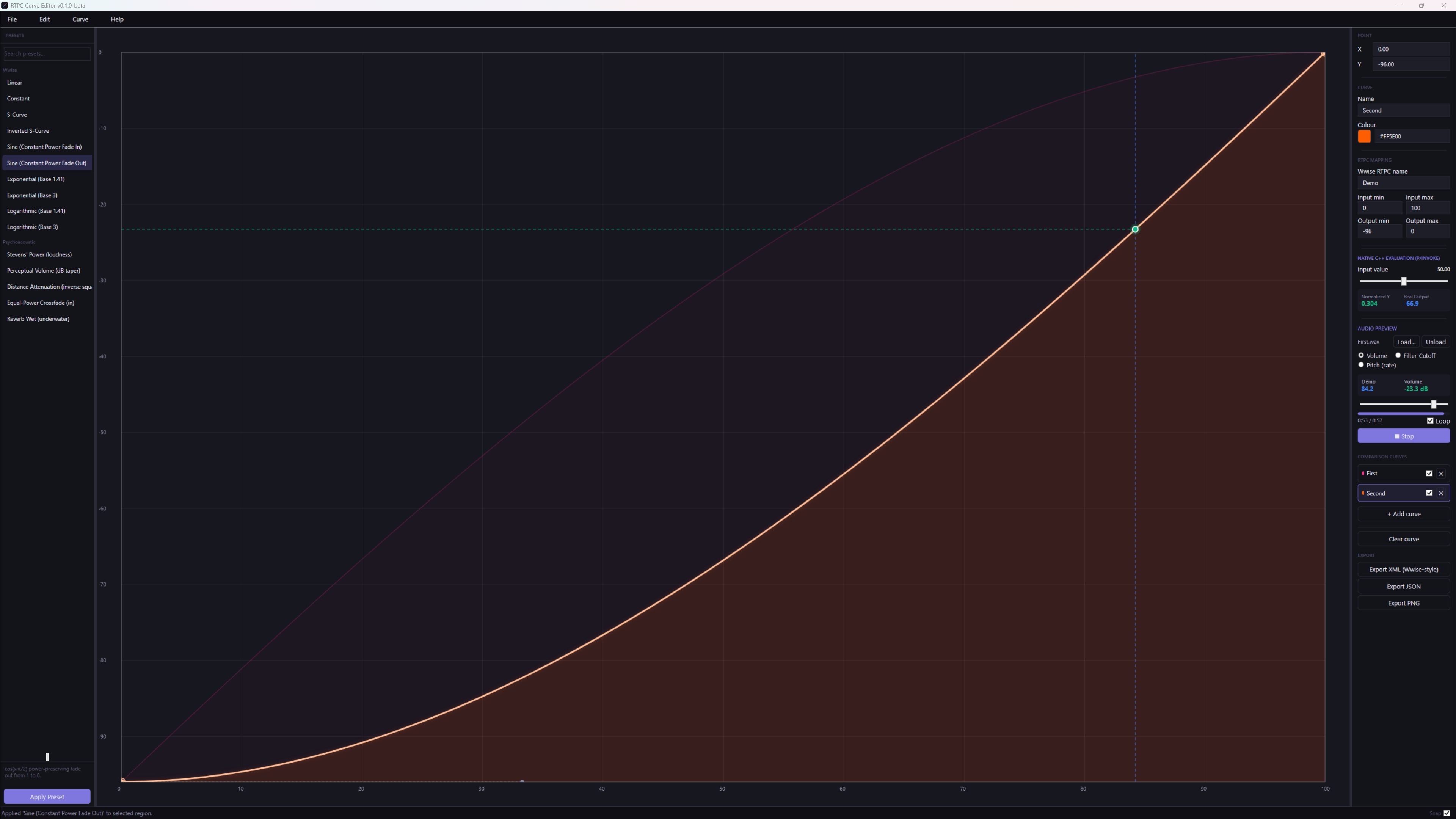
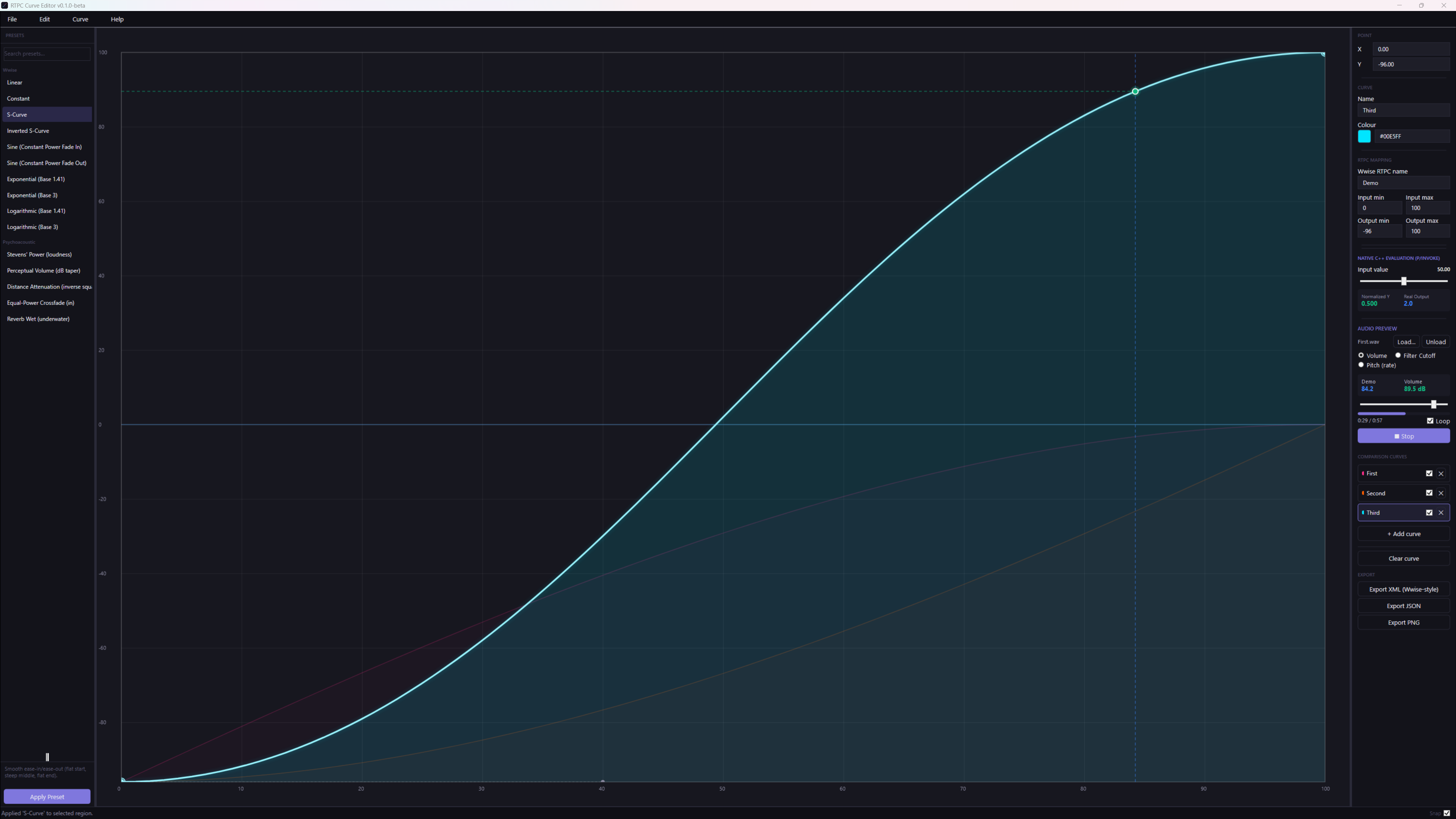
- Wwise-style and psychoacoustic presets: Logarithmic and Exponential (Base 3/1.41), Sine Constant Power Fade In/Out, S-Curve, Inverted S-Curve, plus distance attenuation and equal-power crossfade, applied to the whole curve or a single section by adjusting handles only
- Multi-select and editing: left-click point/segment selection, Ctrl+click multi-select, Ctrl+A select all, double-click to add/remove points
- Multi-curve view: design and compare multiple RTPC curves side by side, and import an XML file as a comparison curve
- Audio preview: load a WAV or MP3 and hear the curve drive volume, pitch or a filter cutoff, with a live marker showing the input position on the curve
- Native C++ evaluation: a test input readout evaluated by a native DLL, cross-checking the managed curve maths
- XML export: outputs Wwise-style XML with the full curve data, plus JSON project files, undo/redo and built-in bug reporting
Engineering Decisions
WPF + SkiaSharp rendering
WPF handles the shell and data bindings; SkiaSharp draws the curve canvas. This separates UI concerns cleanly and gives fast, flexible 2D drawing with full control over every stroke, handle and marker, which WPF's built-in shapes can't keep up with during smooth handle interactions.
Handle-only preset application
Presets reshape a curve, or just one section of it, by adjusting the Bézier handles of its boundary points. Endpoints stay where they are and no new points are inserted, so applying a preset never adds clutter to a curve you have already built.
CommunityToolkit.Mvvm + ObservableCollection
MVVM architecture with a single backing field for AllCurves and a RefreshAllCurves() method eliminates the ghost-points bug that comes from returning a new ObservableCollection on every property read, a common WPF pitfall in data-bound canvas scenarios.
External to Wwise
The tool lives outside the Wwise project entirely. This means curve design can happen earlier in the audio pipeline, curves can be version-controlled as plain XML alongside game code, and the same curve library can be reused as a reference across projects.
The problem with designing RTPC curves inside Wwise
Wwise's built-in curve editor works, but it's locked inside the project, offers little numerical control, and has no easy way to compare curves side by side or share templates across projects. Audio programmers working on RTPC-heavy systems, adaptive music intensity, distance attenuation, ability charge curves, end up tweaking curves iteratively in Wwise with no external reference and no version control over the curve shapes themselves. This tool moves curve design outside Wwise: design here with precise control, audition the result on your own audio, export as Wwise-style XML, and treat curve libraries as first-class versioned assets.
Adaptive Music
Design intensity transition curves precisely before wiring them to game state: see the shape you'll get before it's live.
Distance Attenuation
Compare logarithmic vs exponential falloff curves side by side, then use the winning shape as your reference when building the attenuation in Wwise.
Ability Audio Coupling
Charge, impact, range: each ability parameter gets its own RTPC curve, authored and auditioned externally, then recreated in Wwise from the exported reference.
🔬 Planned Additions
Curve symmetry and mirroring tools, a user-defined preset save/load library, batch export for full RTPC libraries, and a WAAPI-connected live preview to drive a running Wwise instance directly.
The first public beta (v0.1.0) is available now. Source is on GitHub.
Interested in Game Audio Tooling?
If you're building RTPC-heavy Wwise pipelines or looking for C# desktop tooling experience, reach out.